Some of the guys have preferred to have the green/yellow/red gradients applied to their spreadsheet. So I made these instructions for them. You'll of course have to unprotect the sheet first.
AdamRRT's guide to add a color gradient to JoshH's "Cummins Timing Calculator" spreadsheet:
(Granted there may be other ways to do this. This is the easiest explained way that I know. Feel free to do things your own way if needed. Just don't delete any formulas!)
We will have to do 1 table at at time in order to apply that gradient only to that table. Otherwise the gradient will use the numbers from all selected tables.
Select the table to which you wish to apply the gradient.
Across the top of Excel, go:
Home > Conditional Formatting > Color Scales
You will then see 8 potential scales. Choose the one you wish to use. I prefer the top row, 2nd from left. This color scale matches the stock color scale on EFI Live.
I then enrich the colors by keeping the same table selected then going:
Home > Conditional Formatting > Manage Rules
Double-click the color bar in this window. You then can select the deeper colors you wish to use instead of Excel's slightly washed out versions. OK. APPLY.
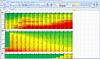
Repeat for each table. Your tables should now match the formatting of EFI Live, so that you can still see any numbers that stand out to you.
Re-protect the sheet, of course.



Originally Posted by AdamRRT


 Posting Permissions

 Reply With Quote